What is VerifyPDF?
VerifyPDF checks PDF documents like payslips and bank statements for fraud-risk signals, then gives you a trust score and risk rating.
VerifyPDF is a document-verification service. You upload a PDF and it checks the file for document-fraud risk, then gives you a clear result you can act on.
What VerifyPDF does
VerifyPDF looks at the PDF itself, not just the visible page. It combines machine learning, document-type classification, issuer-template matching where available and consistency checks across the file. The goal is to spot patterns that do not fit how that kind of document is normally produced.
When the analysis finishes, you get:
- A trust score from 0 to 100, where 100 is a clean document.
- A fraud-risk rating: Trusted, Low risk, Needs attention or High risk.
- A list of warnings that explain what needs attention.
- A downloadable PDF report you can keep or share.
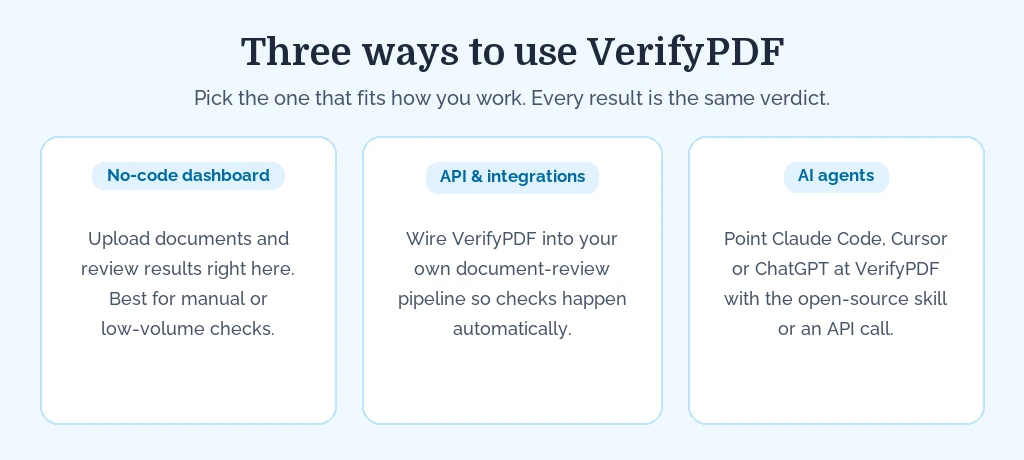
Three ways to use VerifyPDF
- No-code dashboard: upload documents and review results directly here. Best if you check documents manually or in low volume.
- API and integrations: wire VerifyPDF into your own document-review pipeline so checks happen automatically.
- AI agents: point an AI agent like Claude Code, Cursor or ChatGPT at VerifyPDF through the open-source agent skill or a direct API call, so it submits a document and acts on a clear accept, review or reject recommendation.
Who it is for
VerifyPDF is built for the people who review documents as part of their job. This includes compliance teams, operations staff, lenders, insurers, landlords and anyone who needs to trust a document before acting on it.
It is useful any time someone hands you a PDF that affects a decision, such as:
- Payslips during a loan or rental application.
- Bank statements for income or affordability checks.
- Invoices before you approve a payment.
How it works, start to finish
The flow is short:
- You log in to the dashboard at secure.verifypdf.com and land on the Documents page.
- You upload one or more files: original PDFs for financial and official documents, or a clear photo or scan for identity documents.
- VerifyPDF analyses each file in the background.
- You open the result to read the trust score, the fraud-risk rating and the warnings.
To see the checks and scoring in more detail, read How verification works.
Get started
- Ready to try it? See Submit a document.
- Not sure which plan fits? See Plans explained.