Verification taking too long
What to do when a document is stuck on processing in VerifyPDF, why the Documents page refreshes itself and when to contact support.
Verification runs in the background, so you do not have to watch it. Most results arrive within a few minutes. This article covers what to do if one takes longer.
What is normal
Analysis is asynchronous. After you upload, each document shows a processing state while VerifyPDF works through it. This usually finishes within a few minutes.
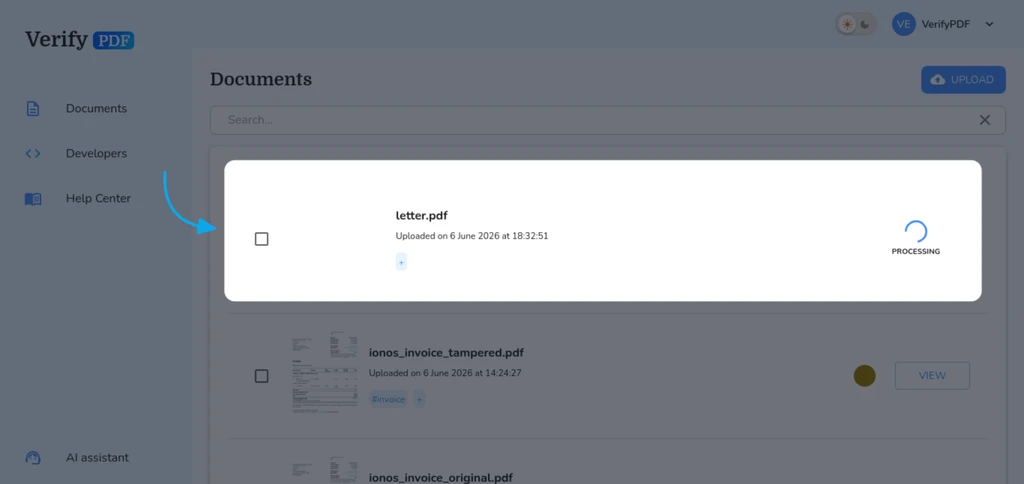
The Documents page refreshes itself while a document is processing. It polls in the background and updates each result as soon as it is ready, so you do not need to refresh anything by hand. You can wait on the page or come back later.
If a document seems stuck
If a document has been processing far longer than usual, try these steps in order:
- Refresh the Documents page in your browser.
- Log out and log back in at secure.verifypdf.com.
- Check your other documents. If they finished and only one is stuck, the problem is likely with that single file.
A very large or unusual PDF can take a little longer than a small one, so give it a few extra minutes before you worry.
What to do next
- Review how uploads and processing work in submit a document.
- Once a result arrives, learn how to read your verification result.
- Find earlier uploads on your past documents list.