Check your usage and allowance
See where to find your used and remaining documents, your prepaid balance and your next payment date on the Billing page in the dashboard.
You can check how many documents you have used and how many are left at any time. Everything is on the Billing page in the dashboard. This article shows you where to look.
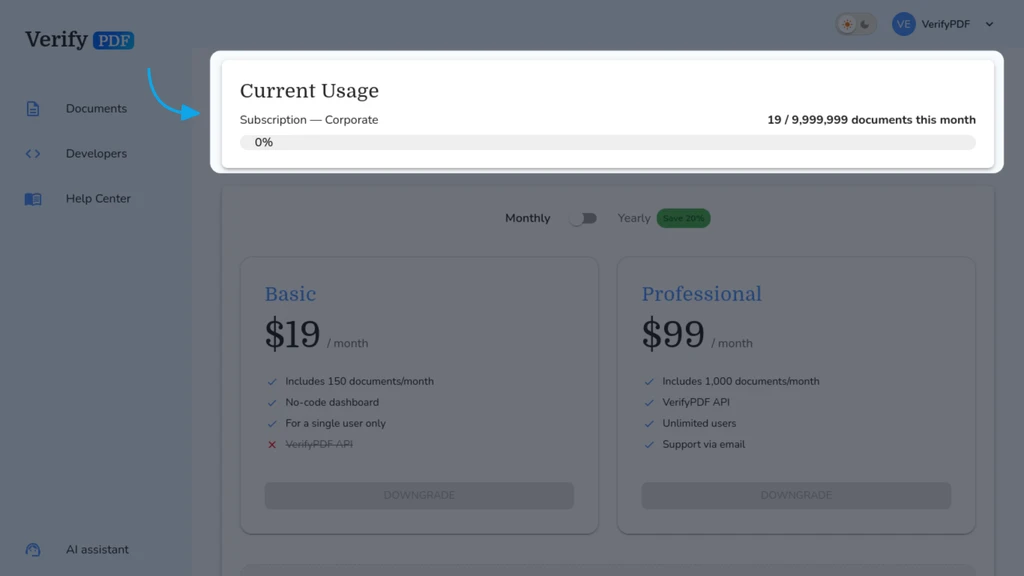
Open the Billing page
- Sign in at secure.verifypdf.com.
- Go to Billing.
Billing is admin-only. If you do not see it, you are a regular member. Ask your admin to check usage, or read Admin and member roles.
What the Billing page shows
The Billing page gives you a full picture of your account:
- Your current plan.
- Your used vs remaining documents for the current period.
- Your prepaid balance, shown separately from your monthly allowance.
- Your next payment date.
How the two pools fit together
Your monthly allowance is used first, then your prepaid balance. The Billing page shows both so you can see what is left in each. For the full order of use, see How prepaid bundles work.
When you are running low
If your remaining documents are getting low, you have two options:
- Buy more now. See Buy a prepaid bundle.
- Set it to refill on its own. See Set up automatic top-ups.
If both pools are empty and auto top-up is off, verification is blocked until your next monthly reset or until you buy a bundle.